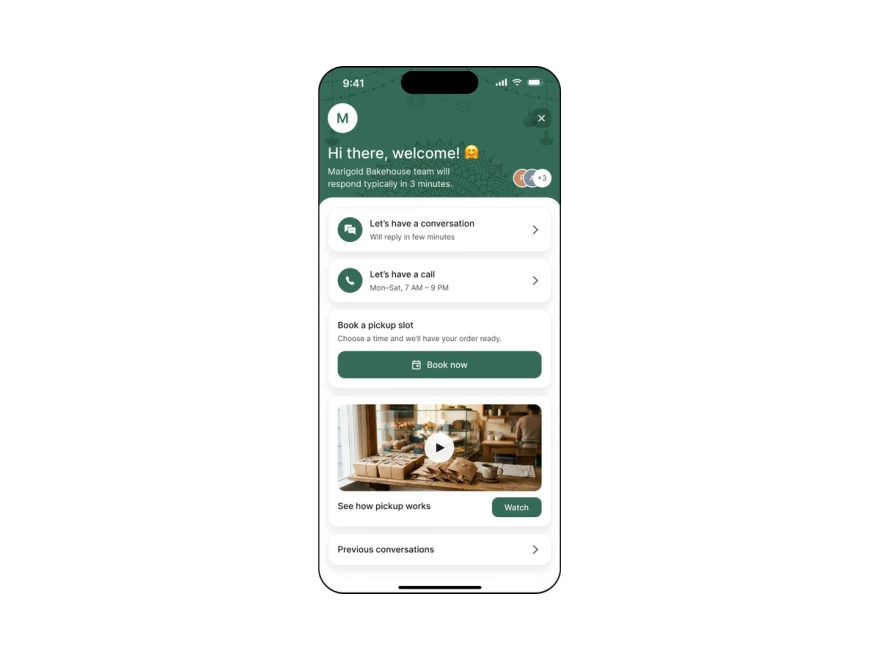
Case study 04 2024
Built a notification troubleshooter that three apps use, so operators stop missing chats
I designed a step-by-step troubleshooter inside a live-chat app for support operators. It reads the phone’s own settings, finds the one that’s silencing chats, opens it, and proves the fix with a real notification.
The troubleshooter is on Android, and the notification settings are on both Android and iOS. It came out in March 2024, and two more apps now use it as a library.
Overview
The problem
Operators missed chats because their phone, not the app, had silenced them. The cause could be a battery saver, do not disturb, a muted notification type, low volume or low priority. Support fixed each case by hand, dozens a week, all on Android.
What I did
I designed a troubleshooter with two speeds. First, a quick test from the chats screen. If that fails, eight checks read the phone’s settings and say what to change. They open the right screen and end with a real notification. I built it as a library.
What happened
It came out in March 2024. Support tickets about missed notifications fell to one or two a week, and some weeks none, by the support team’s rough count. Three apps use it.

- 8 checks network to sound, then a real test notification
- 3 apps use the same troubleshooter, each in its own look
- 9 in 10 fewer tickets about missed notifications, by support’s rough count
- Role
- Product designer, from start to finish. The only designer on it, and the designer of the library.
- Team
- Me and the engineer who built it, then the two app teams that adopted it
- Timeline
- Early 2024. It came out in March 2024.
- Platform
- Android (the troubleshooter and settings), iOS (settings)
The problem
Every cause was in the phone’s settings, and the settings are different on every phone brand. A problem like that can’t be fixed from a support desk.
Before: a help article, and guesswork


Support sent an article, then talked operators through their phone settings by hand
After: the app checks for you

It reads the settings, finds the one causing the problem, and opens it
Each ticket took the time of three people. Support asked the operator to find a setting on their own phone and read out what it said. When that failed, an engineer took over. The team chat app and the consumer messaging app had the same problem, because every app that sends notifications does.
What shaped it
-
The phone controls the causes
The app can read most of these settings, but change almost none of them. So the design finds the problem, explains it and opens the right screen. It never changes anything without telling you.
-
Phone brands
The settings screens are different for each phone brand. Battery savers differ the most.
-
Every phone
It had to work on cheap phones and on expensive ones.
-
Two platforms
iOS has few of these problems. So the troubleshooter is on Android, and iOS gets the settings and their states.
-
A library from day one
The other two apps would need it in their own look.
How I approached it
Three steps.
-
List every cause with the engineer
The list came from the phone system’s own documentation. I worked through it with the engineer who built the feature, and he listed most of the causes. We tested the result on phones from cheap to expensive.
-
Check the causes for the operator, instead of describing them
You can’t just tell an operator to “check your settings”. They don’t know which setting, where it is on their phone, or what it should say. But the app can detect each cause. So it checks them one by one, in the order they usually cause trouble. It says what to change, opens the right screen, and ends with proof instead of a promise.
-
Compare the two real options
-
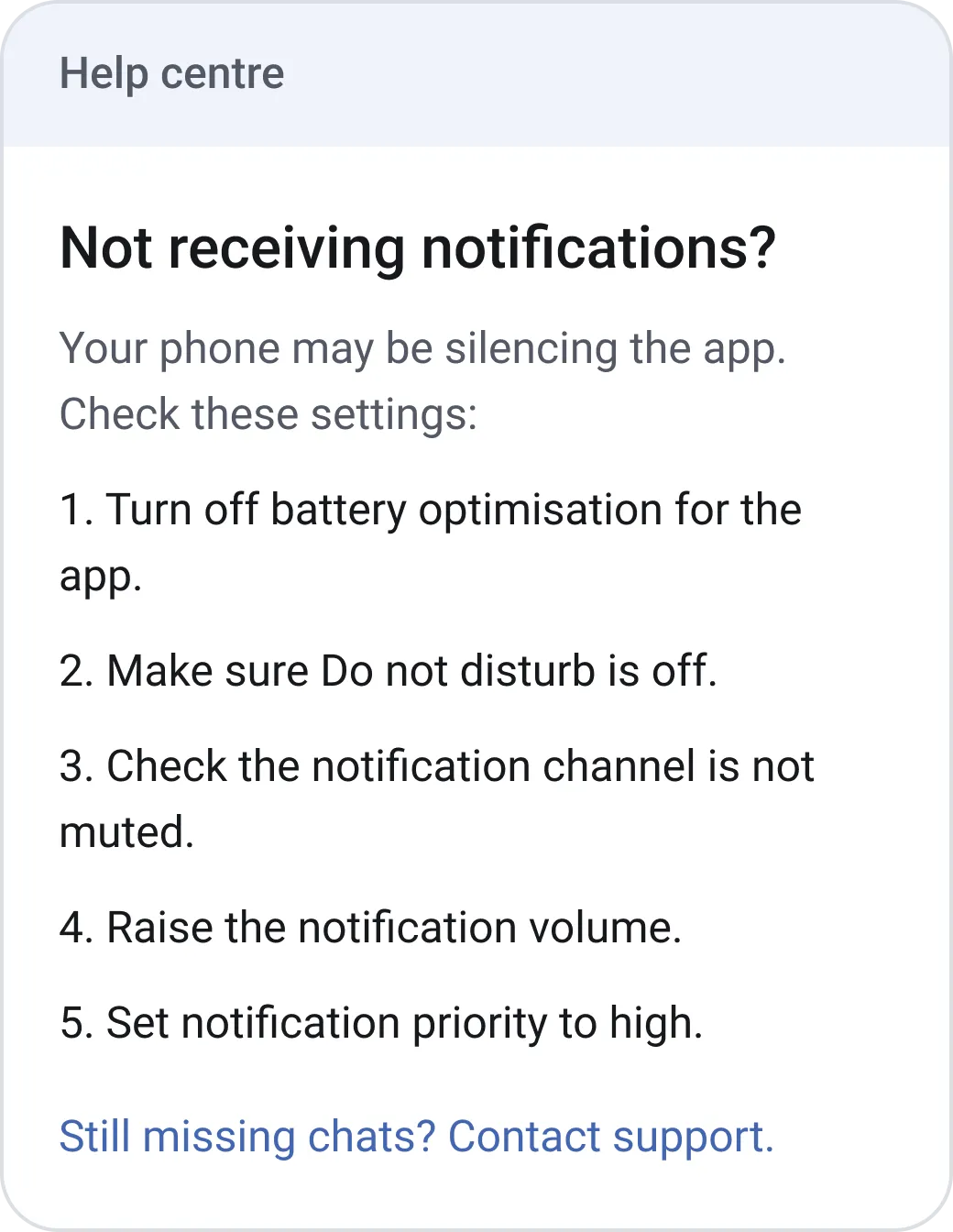
Only a help article
This was how it worked before. It assumes an operator can find “battery optimisation” on their own phone, which is the one thing they can’t do. The article stays as a backup link.
-
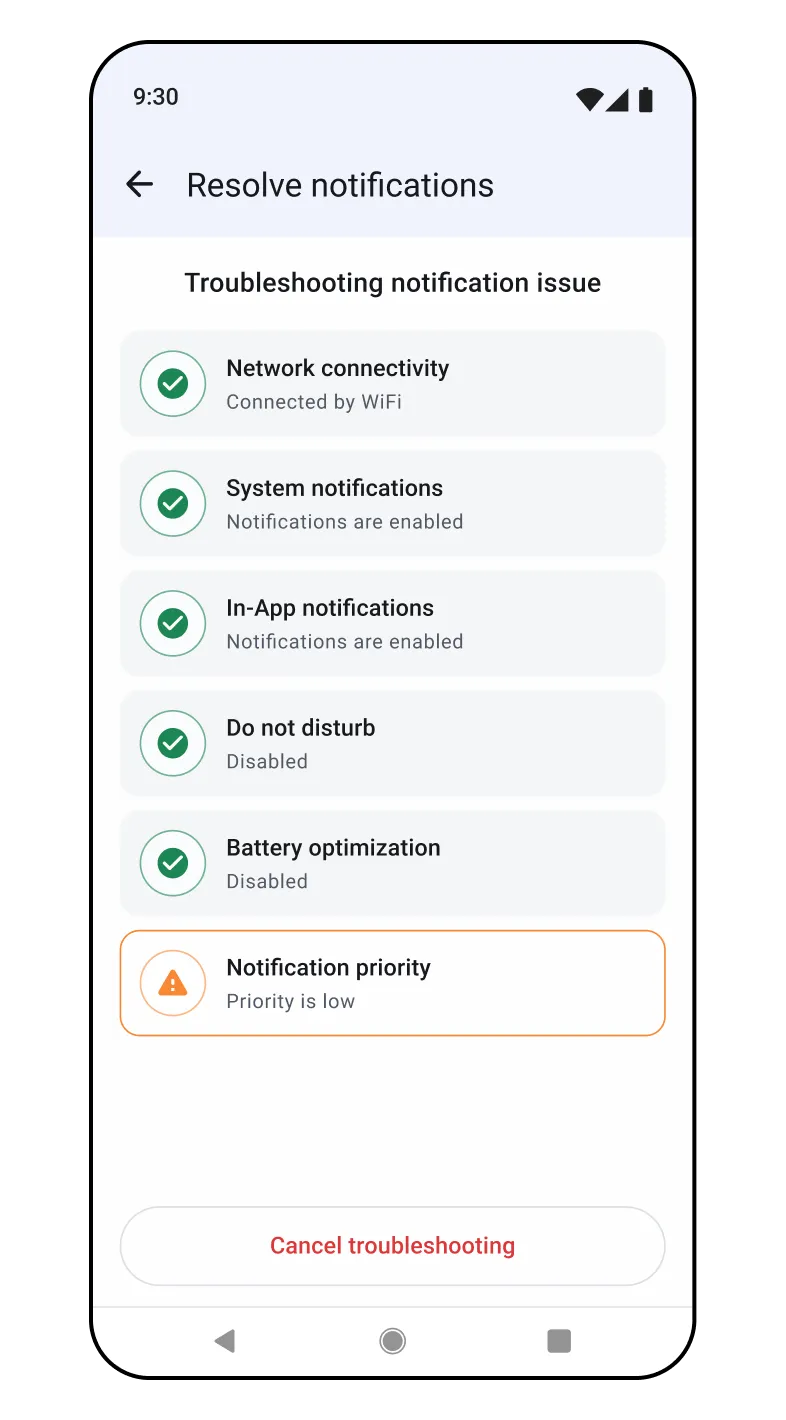
Stop after the checks, and skip the test
All the settings being right isn’t the same as a notification arriving. If the check ends with “everything looks fine”, the operator only finds out later, when a chat is missed.
-
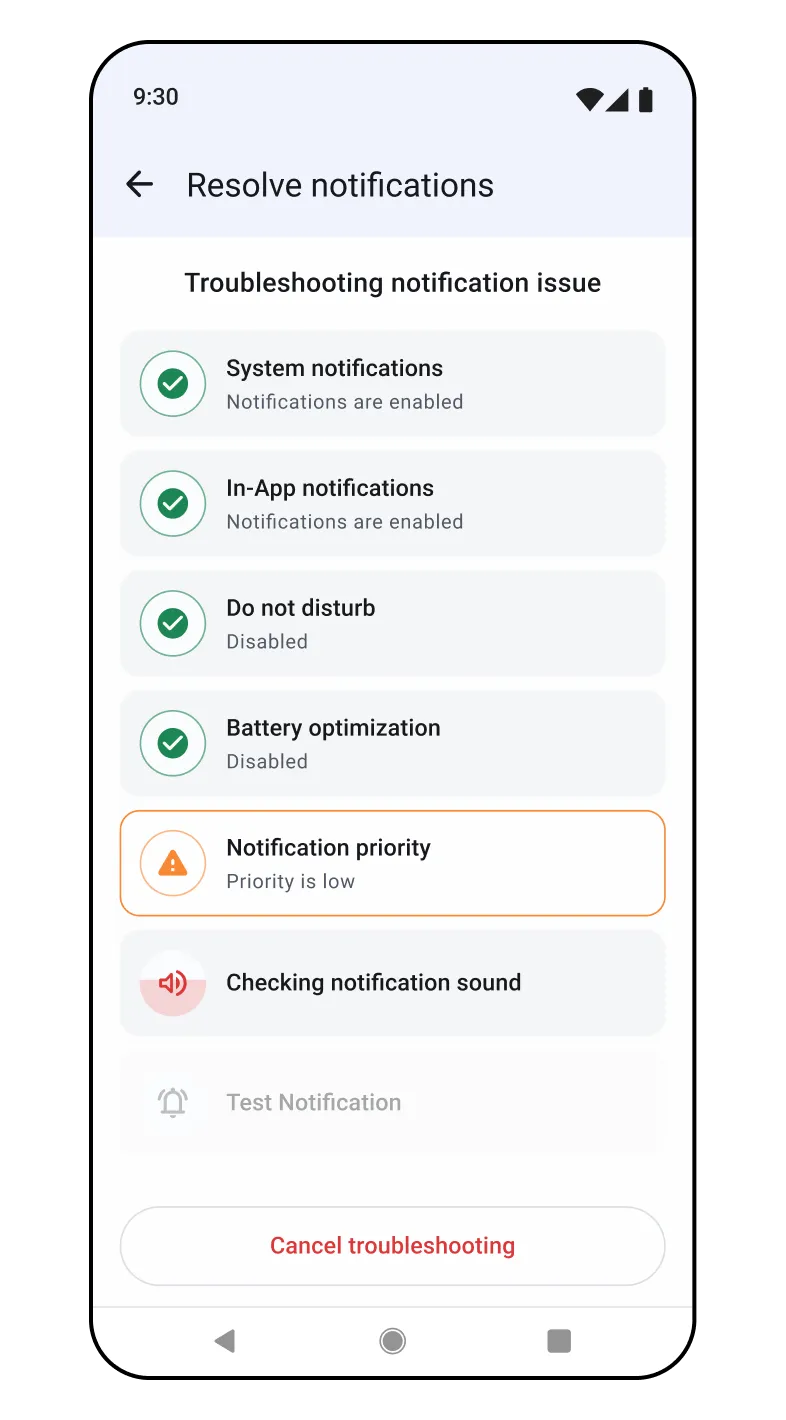
A test first, and if it fails, eight checks that end with a real notification, built as a library
Each step has its own error message and its own way to fix it. At the end, the app asks whether the test notification arrived.
-


Read more: more detail, the full story 1 min
Why it matters. An operator is only useful if their phone tells them a chat has arrived. Phones often work against that. A battery saver puts the app to sleep. Do not disturb hides the alert. A notification type gets muted. The sound is turned down. Or the priority is left on low, so the alert arrives silently.
The fixes. When a check fails, tapping the card opens the phone’s own setting. If the phone requires it, a confirmation dialog appears first. If the full check finds nothing and notifications still don’t arrive, the help article is still there as a backup link.
Other screens. There are larger layouts and a side menu for tablets. After launch, the team also added an announcement for the troubleshooter.
What I designed
One troubleshooter with two speeds, the settings it starts from, and the library that brings it to two more apps.
- The quick check
- The full check
- Notification settings
- iOS states
- Three looks
The full check, and what each card tells you

-
Passed A tick, and a line saying what it found, like “connected by wifi” or “do not disturb is off”.
-
Needs a fix A warning says what to change. Tap the card to open the phone’s own setting. When you come back, the list has moved on.
-
Running The icon fills and the card waits, then shows its result.
-
Waiting The rest stay grey until it’s their turn. The list scrolls by itself as it runs.
There are eight checks, in the order they usually cause trouble. They are network, system notifications, in-app notifications, do not disturb, battery optimisation, priority and sound. Then comes a real test notification.
Two speeds

From the chats screen: check permission, then send a real test

When the test fails: the full check, ending with the same question
- The quick check reads the permission and sends a test notification. If it doesn’t arrive, “Did not receive, need help” opens the full check.
- The full check ends with a real notification, and asks whether it arrived.
- You can start it from the chats screen, from settings, from help articles or from the navigation bar. On Android it opens as a panel from settings, and as a full page from the navigation bar.
The settings it starts from

Android: a “Fix it” banner, a switch for each type, and the last check

iOS: one of three states (off in the app, off in the system, or partly off), then a switch for each type
- There’s a switch for each type of alert (new chat request, new message, chat transfer and bot transfer). Next to them are screens for battery use and blocked notifications.
- The settings screen shows when the last check ran. An operator who stopped missing chats can see why. And support can ask one question, “When did you last run it?”, instead of twelve.
One library, three looks


The checks and their order stay the same. Colours, corners and icons change.
So the same fix works in all three apps, and each one still looks like itself.
Two small details
The pace. While a step runs, its icon glows softly and the card waits. Then it settles into its result, and the list scrolls to the next one. The pace is on purpose. A list that ticks everything off instantly looks fake.
The priority step came later. It was added after launch, when the tickets that still came in turned out to have the same cause.
How an operator fixes it
From a silent phone to proof, in the order an operator meets it.
-
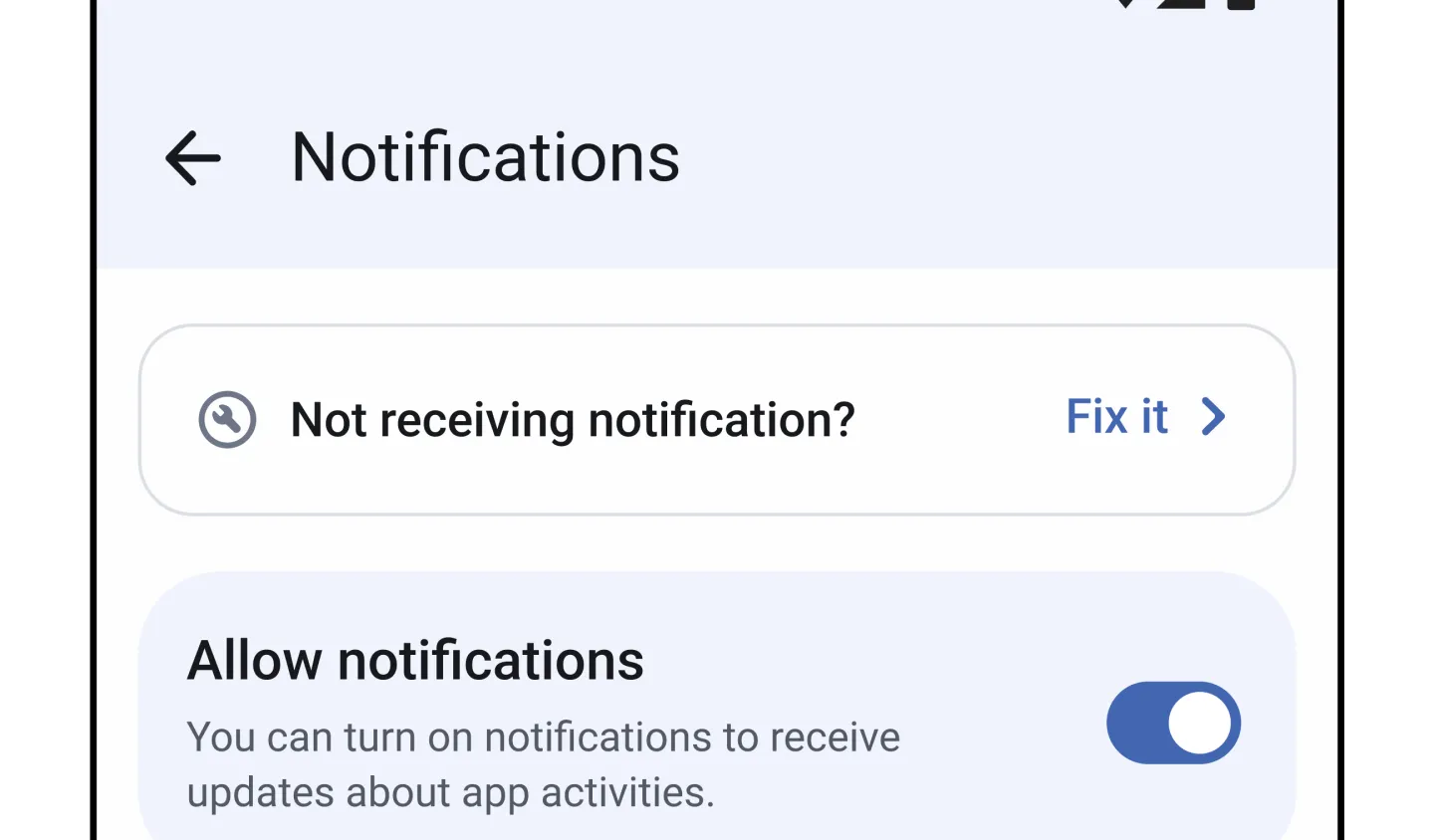 Notice, and tap “Fix it”
Start from settings, or run the quick check from the chats screen.
-
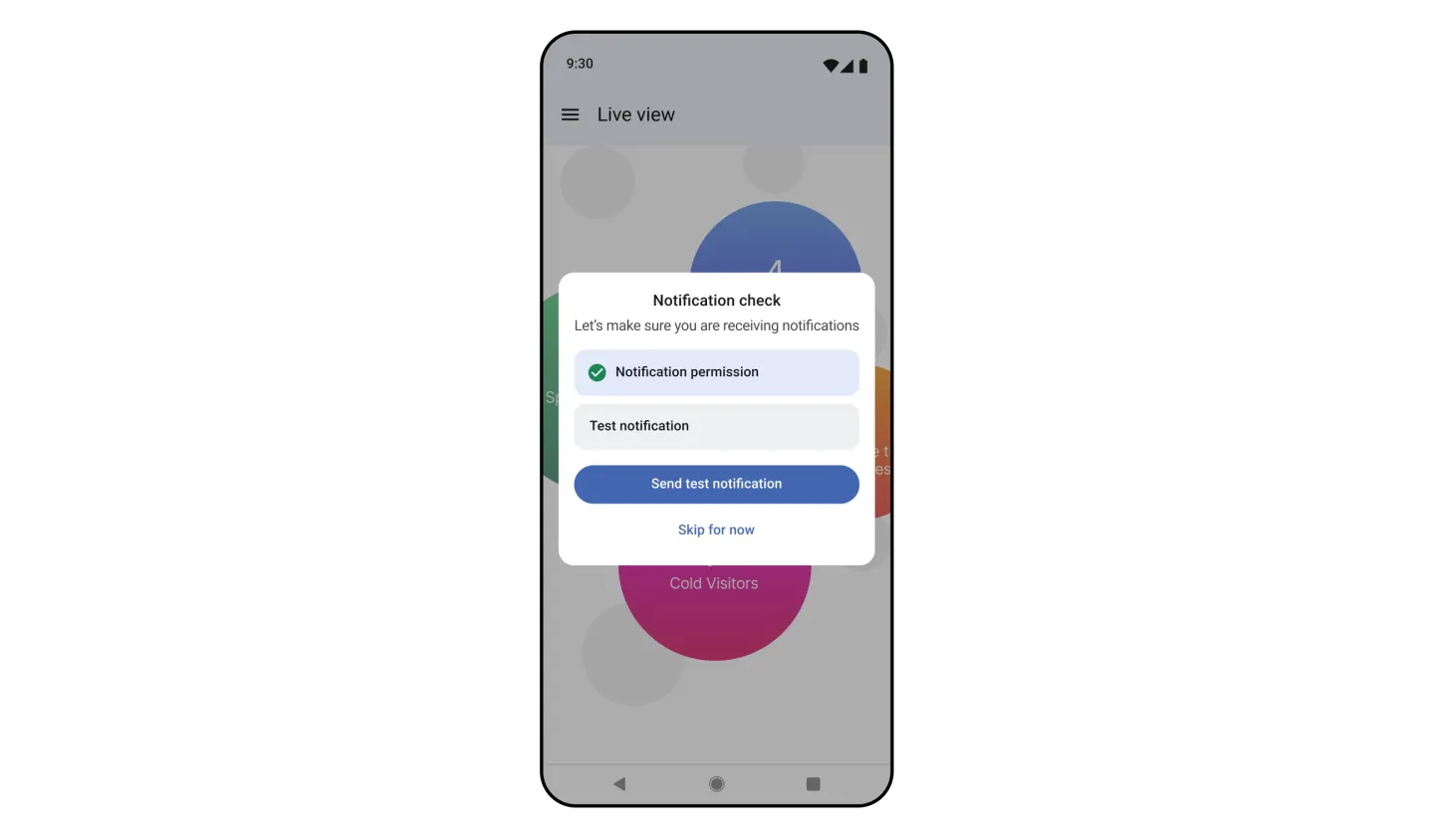 Try the fast way
The app checks the permission and sends a test. “Did not receive, need help” opens the full check.
-
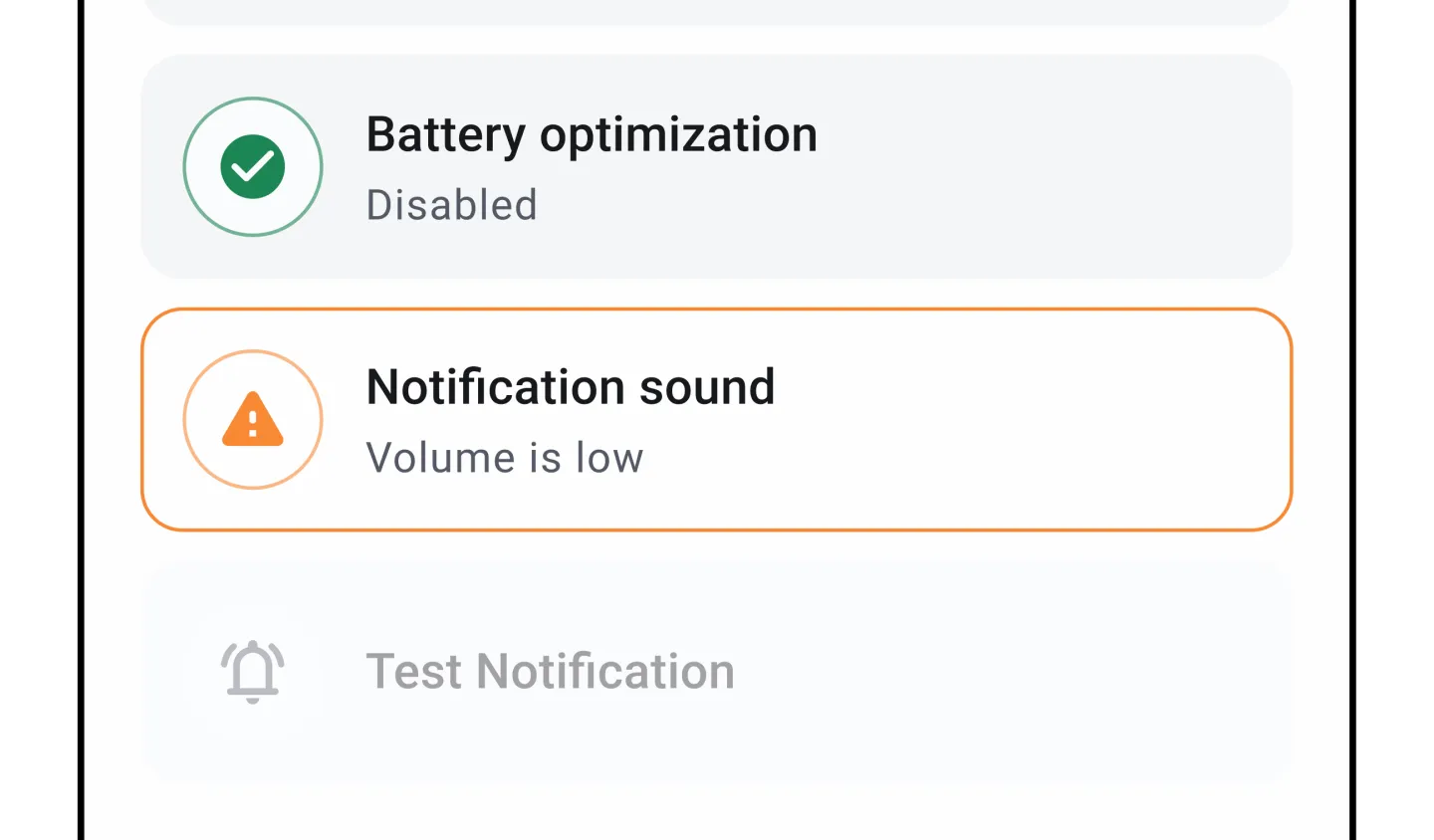 Let the check find the problem
Here, the sound is low. Tap the card, fix it in the phone’s setting, and come back. The list has moved on.
-
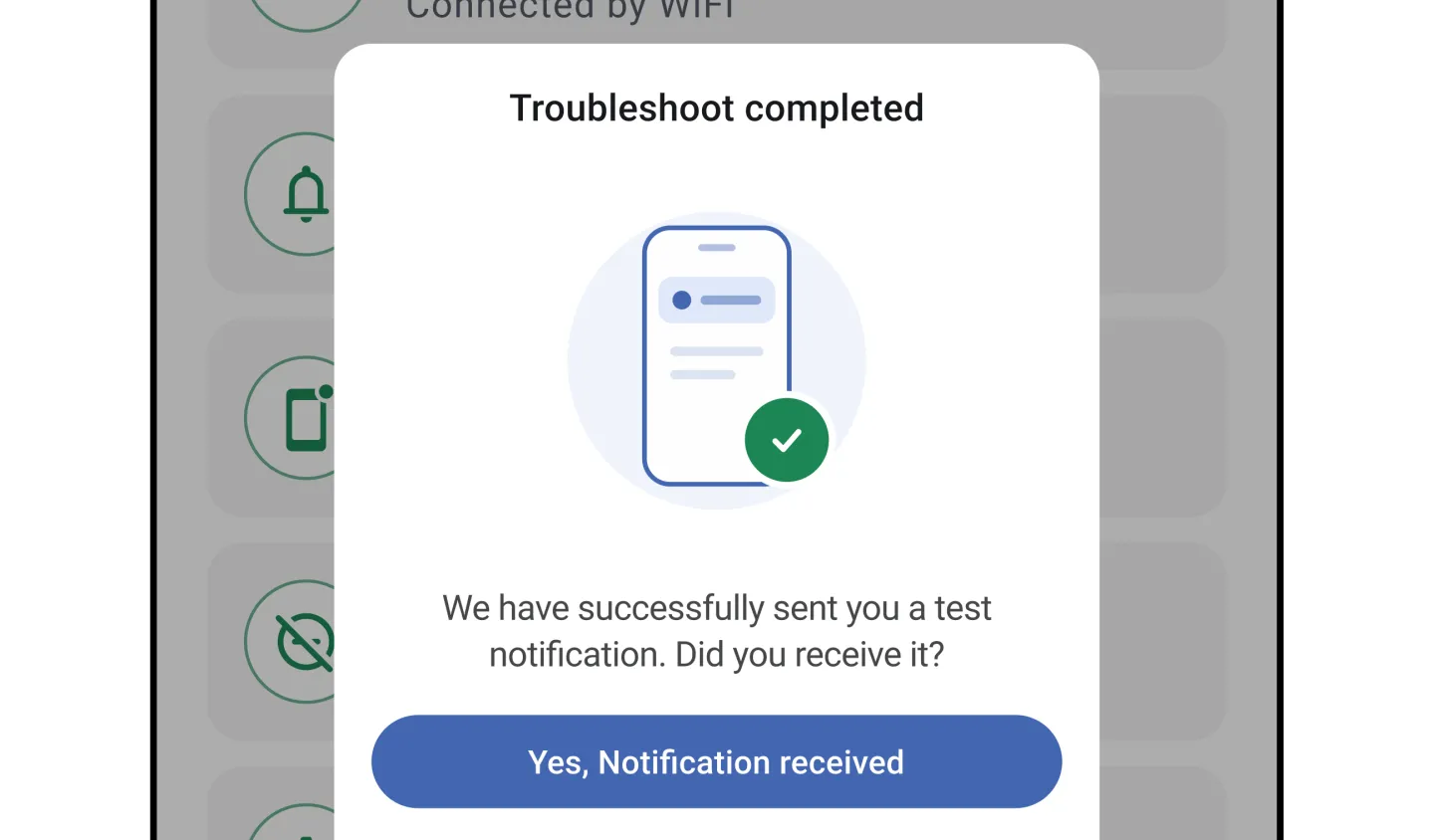 See the proof
A real notification arrives, and the app asks whether it did.


Redrawn for this site.
What happened
9 in 10 fewer support tickets about missed notifications, by the support team’s rough count
They went from dozens a week to one or two, and some weeks none.
“Missed-notification tickets used to end up on my desk. Since it shipped, they’ve mostly stopped.”
On the record
- It came out in March 2024.
- Two more apps adopted the library, so one design fixes the same problem in three products.
- The chain of support, then an engineer, mostly stopped.
- The priority step was added after launch.
The ticket numbers are the support team’s rough count, not a measured figure. At the same time, the operator app’s navigation and account area were being reworked. One of the ways into the troubleshooter is there.
What I’d do differently
What I’d change. I didn’t count. The drop from dozens of tickets a week to one or two is the support team’s memory. I believe it, but a number collected in the first week would have been better than a story told later.
What I learned. A troubleshooter is a list of everything you didn’t expect, in the order it caused trouble. We tested on cheap and expensive phones. But the step we missed wasn’t about a phone. It was a setting we hadn’t thought to check.