Case study 08 2023–2024
Gave live-chat operators an AI that summarises, suggests and rewrites, without ever saying "AI"
I designed three helpers inside a live-chat app that support operators use. They run on an AI language model from another company. There’s a conversation summary, reply suggestions above the message box, and a writing assistant. The operator stays in charge of every word.
They work on iOS and Android. I designed them in 2023 and 2024, starting with the summary, and they started coming out in 2024.
Overview
The problem
Operators join long chats halfway through, and pick up closed chats days later. They also write the same careful sentences all day. Catching up and writing were the slow parts. And every summary costs the business money.
What I did
I designed a summary of numbered points, dated and saved. It runs by itself or when asked, as the admin chooses. I added reply suggestions as buttons above the message box. And I designed a writing assistant that can rephrase, shorten, expand or revise, and only regenerates when you tap. The word “AI” appears nowhere.
What happened
All three came out on both platforms from 2024. Two years later, operators, admins and managers still use them, the team says.

- 3 helpers a conversation summary, reply suggestions and a writing assistant
- 0 “AI” labels anywhere in the app
- 2 modes automatic or on request, chosen by the admin, because every summary costs money
- Role
- Product designer, from start to finish. The only designer on it.
- Team
- 5 people including me, product, and the operator app’s engineers
- Timeline
- Designed in 2023 and 2024, starting with the summary. Coming out from 2024.
- Platform
- iOS, Android
The problem
An operator’s day has two slow parts. The first is reading, joining a chat halfway through, then scrolling back through everything. The second is writing, knowing the answer, but writing the same careful sentence for the fortieth time that shift.
Before: join halfway through, then scroll back

Read it all to find out what happened before you got here
After: a summary arrived before you did

Numbered, dated and saved
Two things happened at the same time in 2023. The product started adding an AI language model across its features. And operators asked for a faster way to catch up. The question was how the AI should appear on a phone. Should it be everywhere and labelled, like a new colleague? Or quiet, like a tool?
What shaped it
-
Another company’s AI
It can fail. It can run out of its usage limit, stop working, or reject a wrong key. The business sees these problems and the operator lives with them, so each one needed a clear message.
-
It costs money
Running summaries everywhere, by default, was a decision about cost, not design.
-
The operator is responsible
Operators are responsible for every word they send to a customer. So the AI could suggest, but never decide.
-
A phone
It all had to fit on a phone. A summary in a panel, a rewrite from the text’s menu, and a suggestion in a button, on iOS and Android.
How I approached it
Three steps.
-
Look at what exists, then ask operators
I studied the website’s own AI features and competitors’ assistants. And I talked to operators before I started designing.
-
Design for the chat, not for “AI”
Operators don’t want to think about the AI. They only think about the chat. What happened before I got here, and what do I say next? So the summary had to be quick to read. And the writing help had to sit where the sentence already is.
-
Compare the two easy answers
-
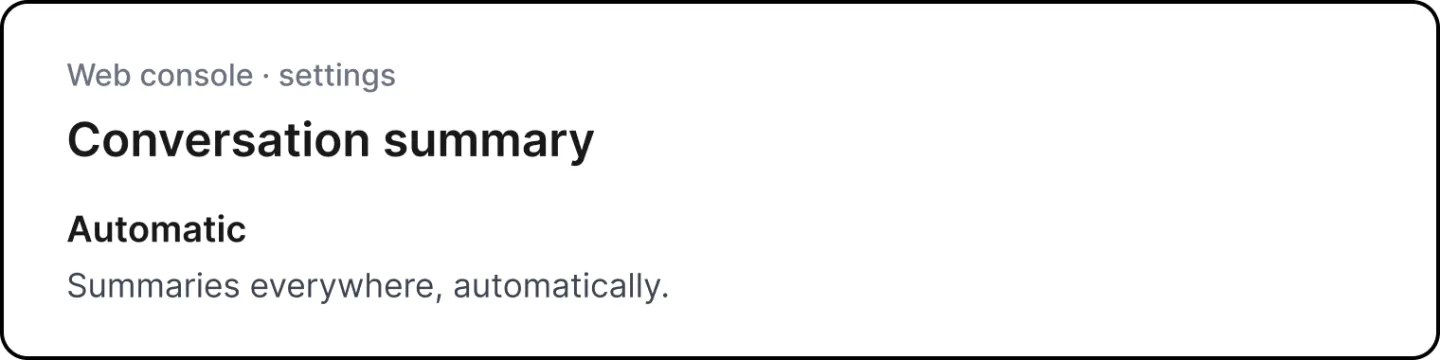
One rule for every business
Summaries everywhere, by default, is the simplest option. But it makes every business pay for summaries of closed and missed chats that nobody may open. So the rule became a setting.
-
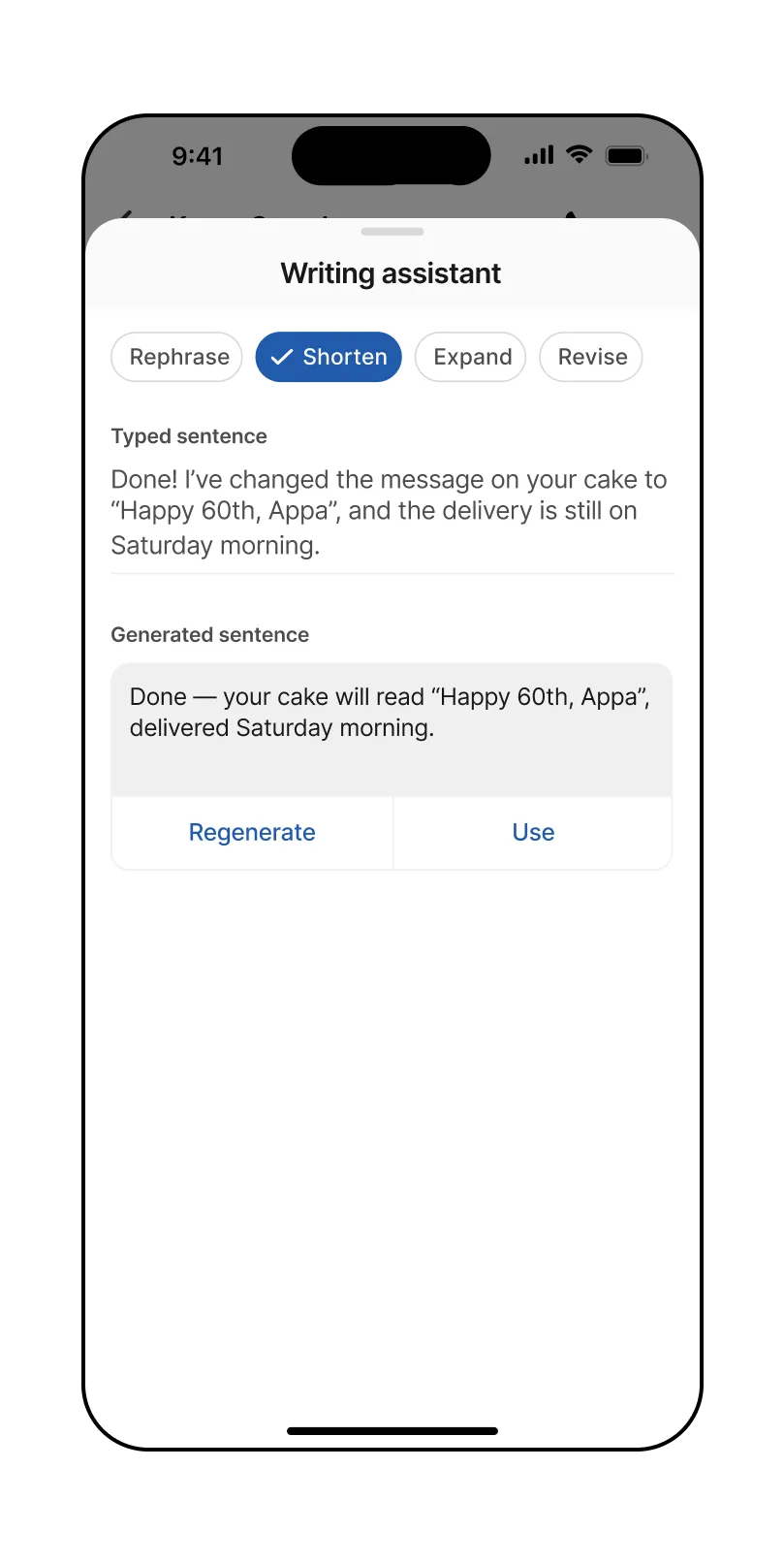
Regenerate as the operator types
The operator’s own correction would be replaced by the next suggestion. So after an edit, nothing changes until they tap regenerate.
-
The business picks the mode, the summary is quick to read, nothing says “AI”, and an edit is final
The result is three helpers that feel like part of the chat.
-


Read more: more detail, the full story 1 min
The summary panel. It offers copy, read aloud, regenerate, collapse and expand. Read aloud lets an operator catch up while walking to their desk.
Building trust. The writing assistant marks its text as generated, so an operator never mistakes it for their own words. And after an edit, it stays quiet until asked.
Small differences between the platforms. Android has read-aloud states (playing, paused and resumed). It shows the writing assistant’s options in a dialog, and has a screen that introduces the feature. iOS has the four error states, dark mode and a version of the assistant opened with an edit icon. The summary can be opened in the same places on both. The admin’s choice of mode is set on the website and applies to both.
What I designed
The three helpers sit where the operator already is (a panel, buttons, and a panel that opens from the text’s menu).
- Conversation summary
- Reply suggestions
- Writing assistant
- Automatic or on request
- Clear error messages
Three helpers, one chat

A summary: five points you can skim

Suggestions: buttons above the message box

The writing assistant: four modes, Regenerate or Use
The summary, part by part

-
A plain header “Conversation summary”, and nothing about AI.
-
The date and time With buttons to copy it, read it aloud or collapse it.
-
Numbered points You have to read a paragraph, but you can skim a list.
-
Earlier summaries, saved Pull the panel up, and yesterday’s summaries are still there, each with its date. So an operator can compare what the AI said then with what it says now.
- You can open it wherever an operator finds a chat they didn’t start. That includes the chat list, the actions menu and previous chats. It also includes chats other operators joined, monitored chats and bot chats.
- The panel also has the chat’s other actions (generate a tag, add a tag, add notes and copy the chat link). So it’s one panel, not a separate mode.
The writing assistant, and an edit that stays

What you typed sits above, and what was generated sits below, so you never mix them up


Four ways the AI can fail, each named
- It only regenerates when you tap. After the operator edits, nothing changes until they ask again.
- The “invalid API token” error makes clear it’s about the business’s own key. So the operator who sees it knows it isn’t theirs to fix.
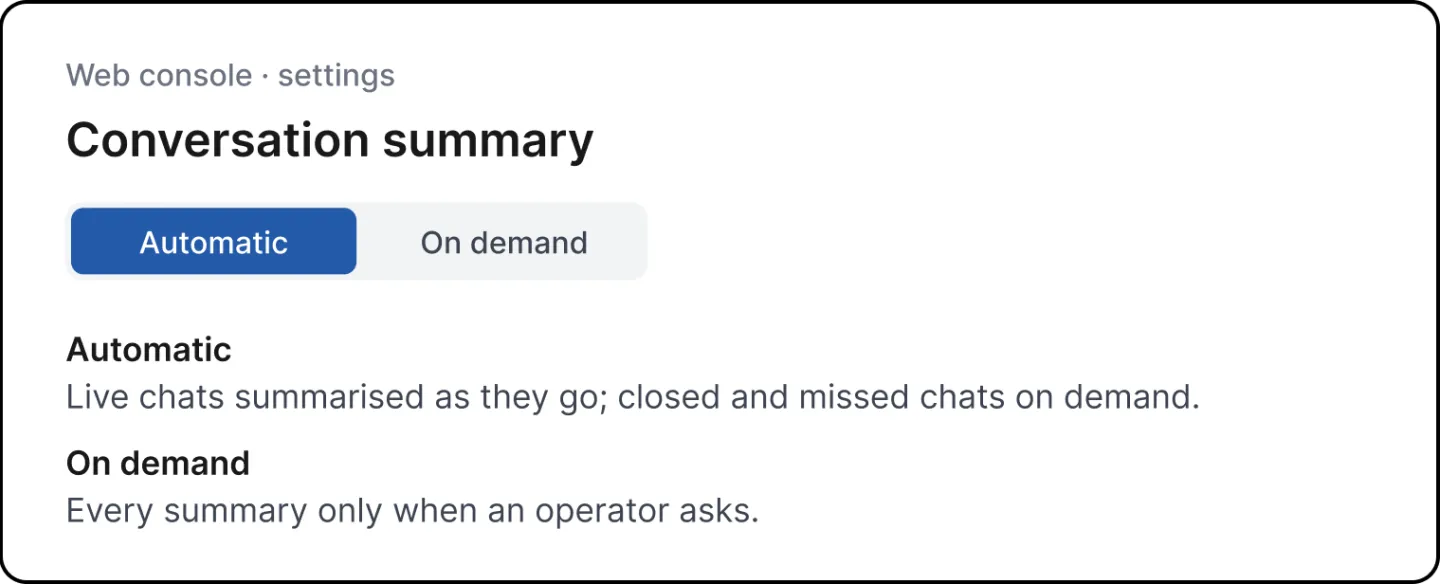
Automatic or on request, the admin’s choice

Every summary is a paid request to the AI. So some businesses pay for a summary of every live chat, and some only when an operator asks. Both options came out.
How an operator uses it
From joining a chat halfway through to sending a better sentence.
-
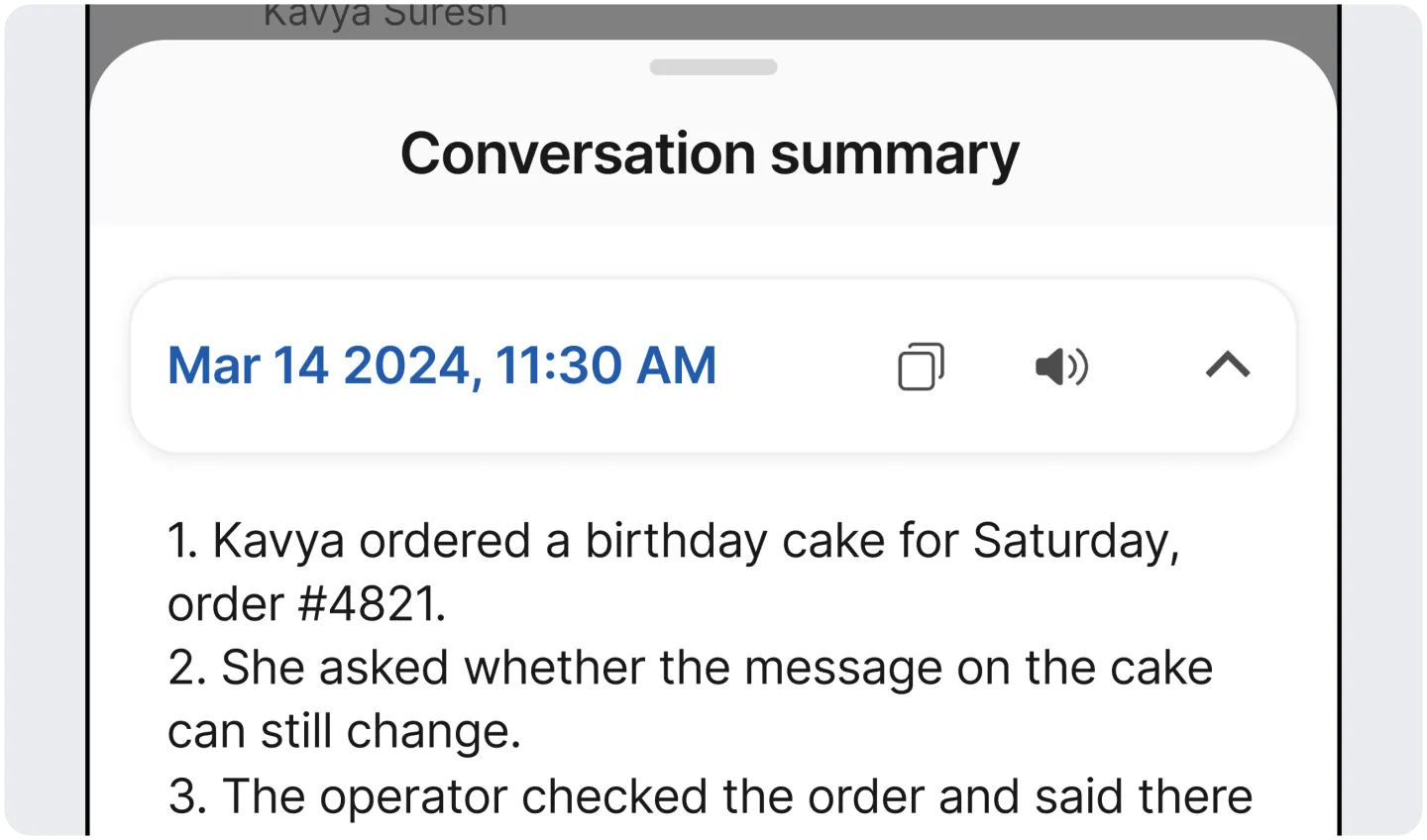 Catch up in seconds
The summary opens by itself, or with a tap. Five numbered points.
-
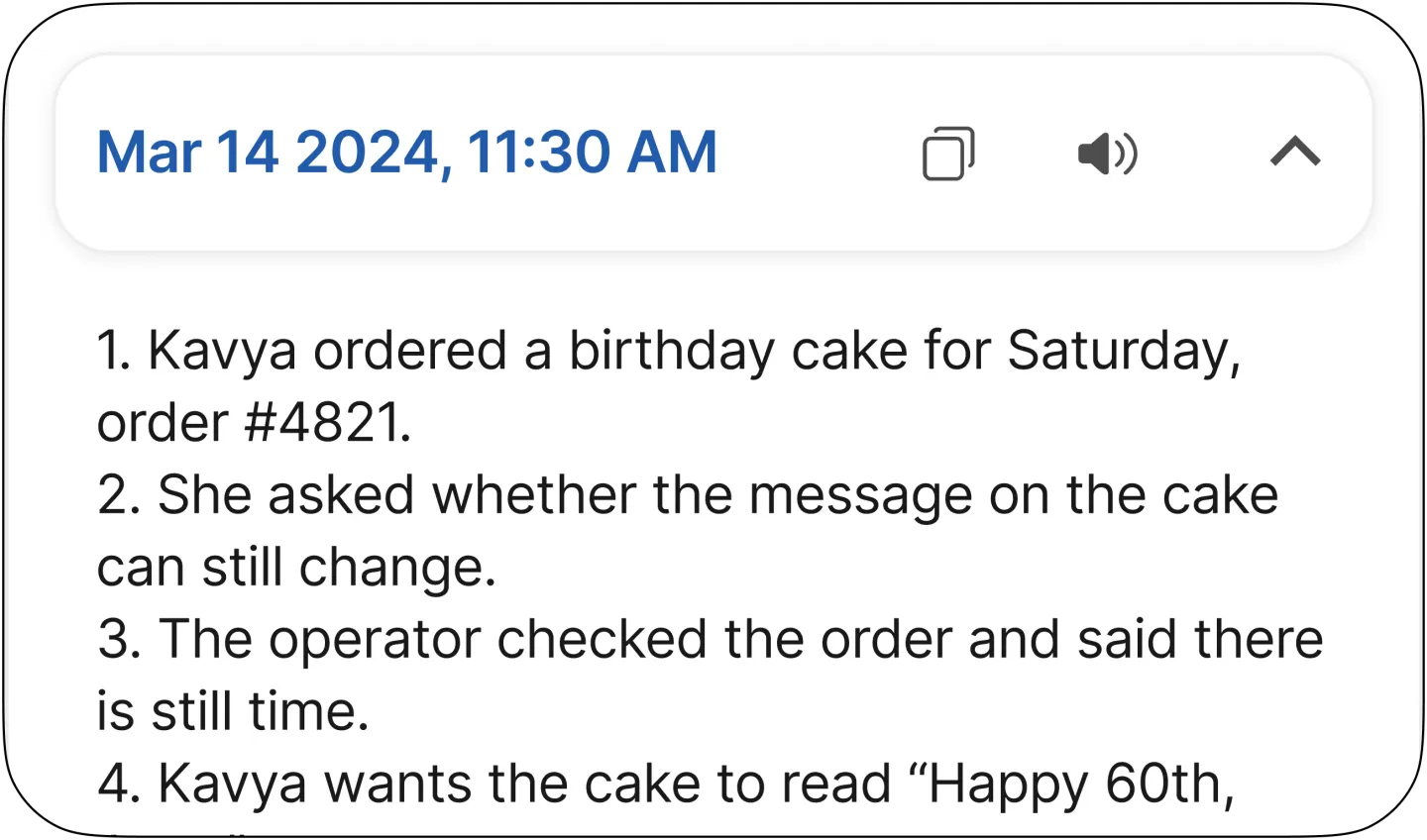 Check what changed
Pull the panel up to see earlier summaries, each with its date.
-
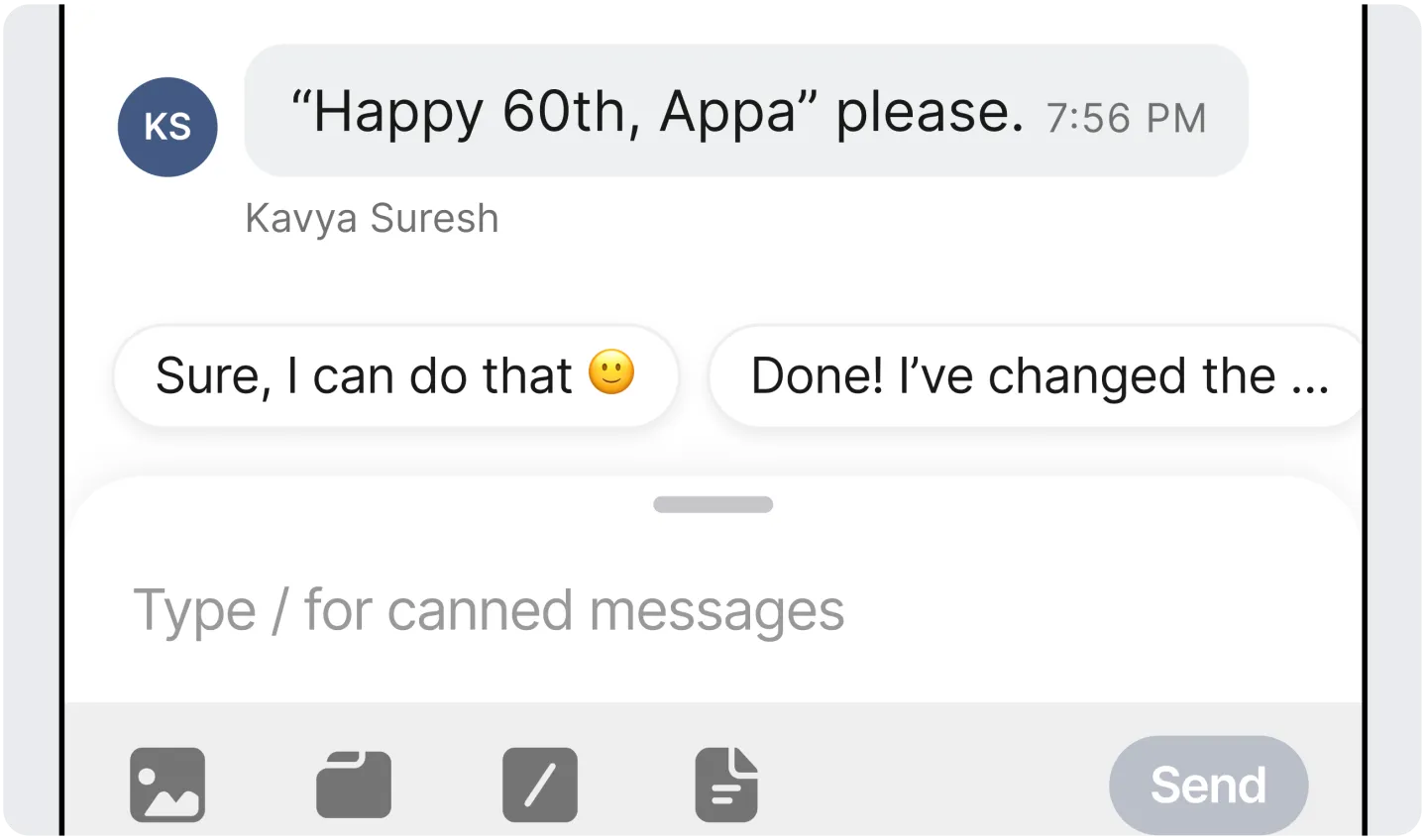 Start from a suggestion
Tap a suggestion above the message box to start the reply.
-
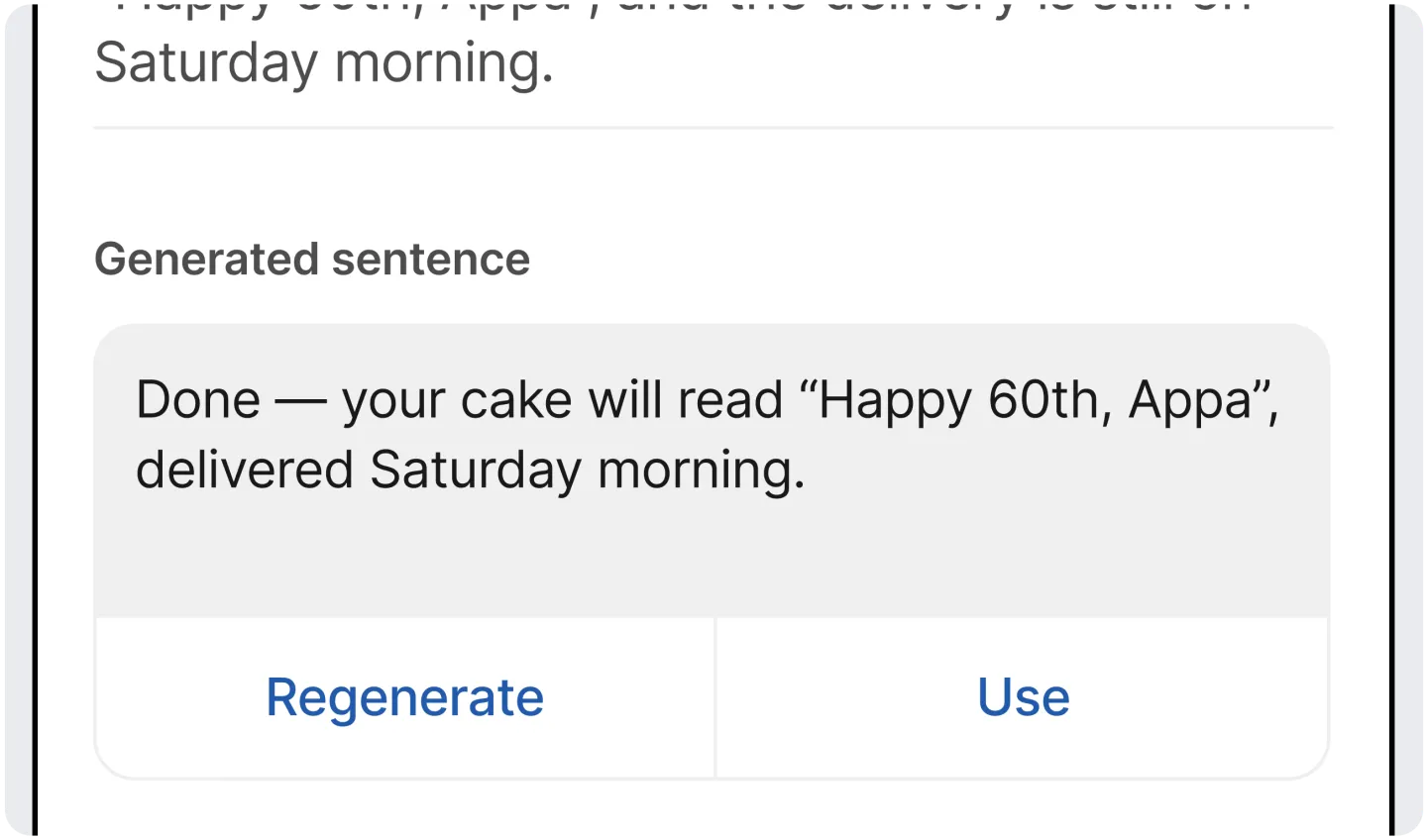 Make it shorter, then use it
Open the writing assistant, pick Shorten, then tap Use.


Redrawn for this site.
What happened
2 years later, operators, admins and managers still use all three, the team says
No number shows the effect of the mobile helpers alone. AI-suggested tags came out at the same time and share the summary panel’s actions. And the website got the same helpers.
On the record
- All three came out on iOS and Android from 2024, starting with the summary.
- A business only sees the AI through what its operators send. And it pays for it on the terms it chose.
- Added later: a banner for the writing assistant, and an announcement for the summary.
They came out from 2024. “Still in use” is the team’s account in 2026. No number shows the effect of the AI helpers alone.
What I’d do differently
What I’d change. I’d add a way for operators to report a wrong summary. A wrong summary looks exactly like a right one, and nothing in the panel lets an operator say it’s wrong. Regenerating is the only option, and it costs the business another request. I designed the cost control for the admin and the helpers for the operator. But I didn’t design the feedback that connects them.
What I learned. Leaving out the word “AI” was the decision people questioned most. It’s also the one that held up best. The helpers feel like part of the chat, not like something added on top.